How to Convert JPG to PNG on Windows & Mac
Updated August 31, 2026
PNG is what software asks for when it means business: design tools, documentation systems, upload forms that reject JPG for whatever reason. Converting a JPG to PNG is trivial, and this guide shows the fastest way to do it for one photo or a few hundred.
It uses ConvertSave, a drag-and-drop converter for Windows and Mac that runs entirely on your computer, no uploads involved.
How to convert JPG to PNG
- 1
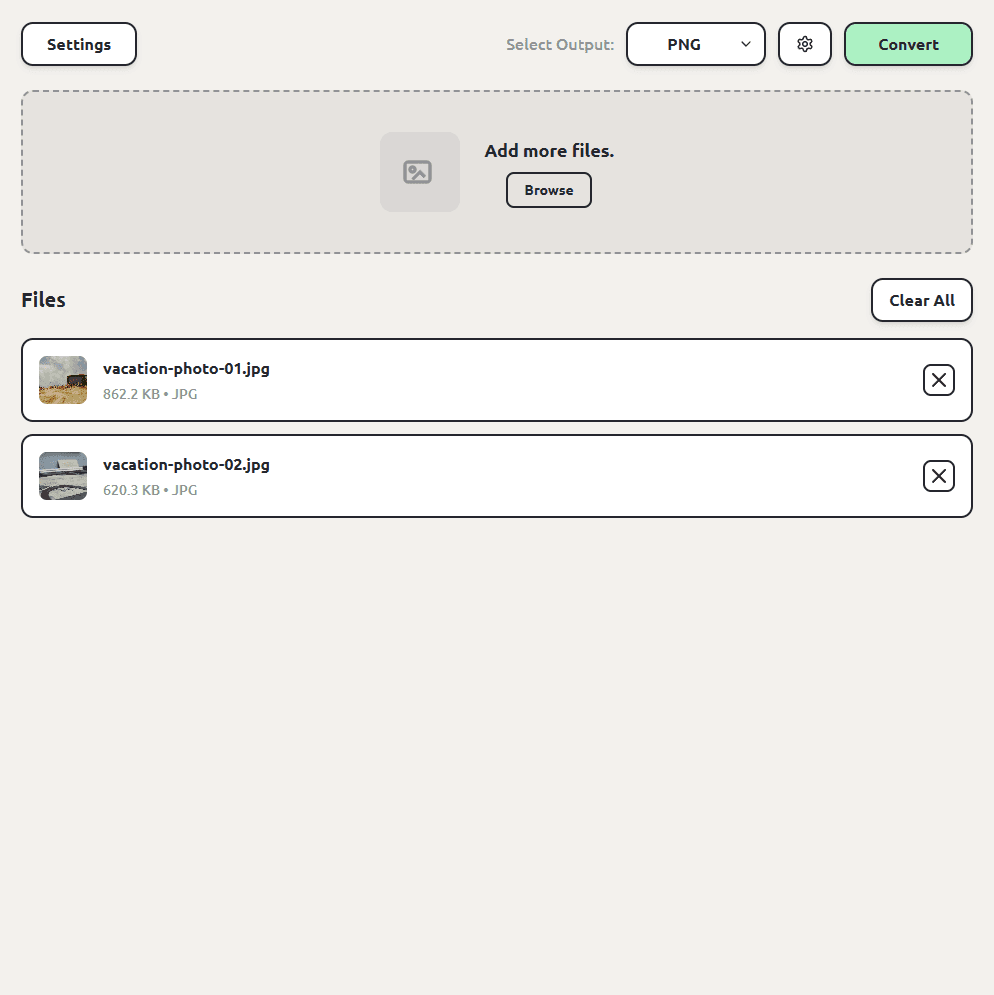
Drag your files into ConvertSave
Open ConvertSave and drag your JPG images into the window. You can drop one file or a whole selection at once. There is no upload step, because the files never leave your computer.
- 2
Choose PNG as the output format
Pick PNG from the format list. ConvertSave shows the formats that make sense for the files you dropped, so PNG is right there.
- 3
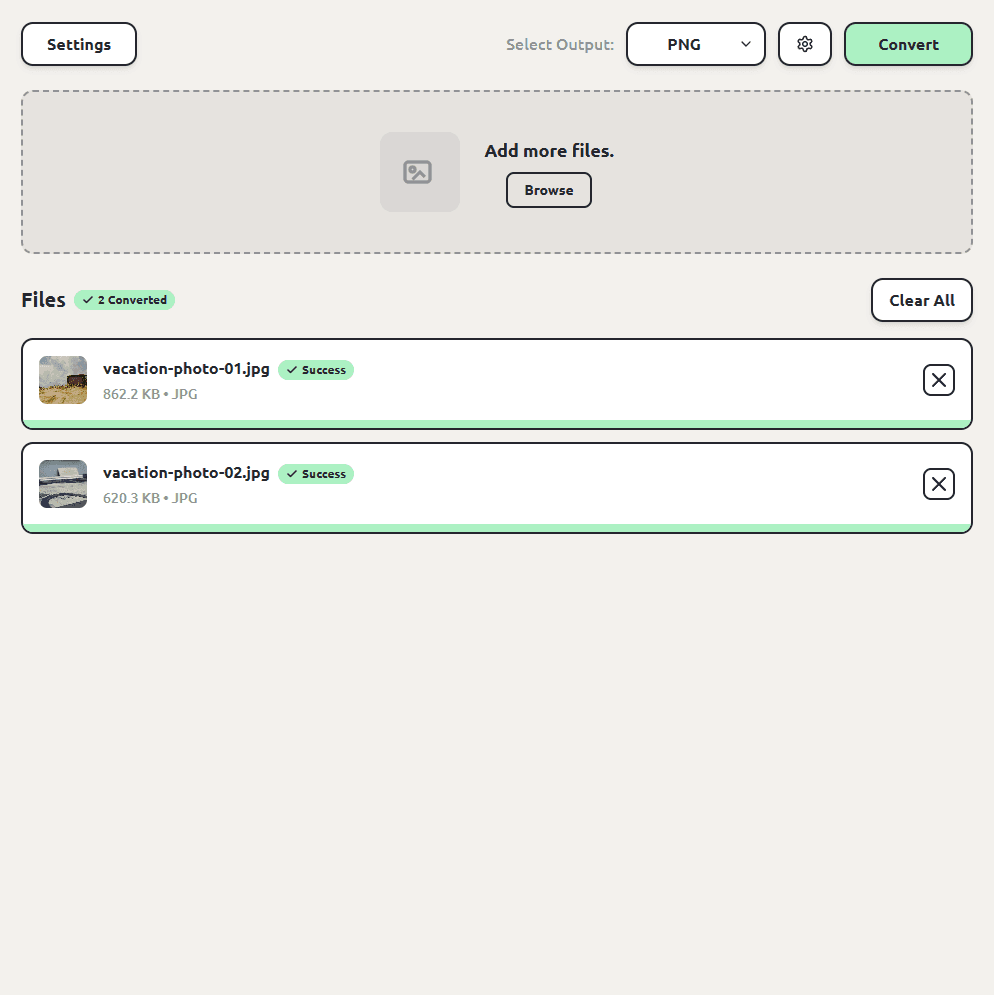
Click Convert
Hit the Convert button. Each PNG file is saved next to the original, so you don't have to hunt through folders to find your converted files. The originals are left untouched.
JPEG to PNG works the same way
JPEG and JPG are the same format; the three-letter version is a leftover from when Windows required three-letter extensions. Whichever extension your files have, the steps are identical.
How to batch convert JPG to PNG
Drag the whole set in, pick PNG once, and convert. Every image converts in one pass and lands next to its original with the same name. We've tested batches of up to a thousand files.
JPG vs PNG: what's the difference?
| JPG | PNG | |
|---|---|---|
| Compression | Lossy | Lossless |
| File size for photos | Small | Large |
| Transparency | No | Yes |
| Best for | Photos, sharing, printing | Graphics, screenshots, editing |
One honest caveat: converting a JPG to PNG doesn't improve it. The PNG faithfully preserves whatever the JPG had, including its compression artifacts, and it won't gain transparency either. The conversion is about compatibility and stopping further quality loss when a file gets re-saved repeatedly, not about recovering detail.
Is JPG to PNG conversion safe?
The risk with converting JPG photos isn't the conversion itself, it's where the conversion happens. Free converter websites work by uploading your file to someone else's server. You usually can't tell who runs the server, where it is, or how long your file sticks around after the conversion finishes. For personal videos and photos that's a real privacy trade, and it's the reason so many of those sites are covered in aggressive ads.
ConvertSave does the conversion on your own computer. Nothing is uploaded anywhere. You can turn off Wi-Fi entirely and it still works, which is also the easy way to verify the claim. Your original file is never modified, and the converted copy is written right next to it.
Frequently asked questions
Does converting JPG to PNG improve quality?
No. PNG preserves exactly what's in the JPG, artifacts included. What it does guarantee is no further loss if the file gets edited and re-saved later.
Why is the PNG bigger than my JPG?
PNG is lossless, and lossless compression doesn't shrink photos well. Several times bigger is normal and expected.
Can I go the other way, PNG to JPG?
Yes, same steps with JPG as the output. That direction shrinks files, which is handy for sharing screenshots.
Do my images get uploaded anywhere?
No. ConvertSave converts on your computer and works offline. Your images never leave your machine.
Is ConvertSave free?
There's a 7-day free trial with all features unlocked. After that it's $9/month, $60/year, or $129 once for a lifetime license that covers 3 personal devices on Mac and Windows.